 DrawTAD
Drafting in your browser for TAD
This is a companion web-app for TAD (www.teamtad.com). Use TAD to design and use this to draft what you designed in TAD. Draw, edit and share DXF and DWG drawings with nothing to install. Keep your files in an encrypted vault and work collaboratively on one drawing with your team. Layer by layer.
Free to start. Sign in with email, Google or your TeamTAD Discord account.
This is beta version 0.1, based on CADCraft.
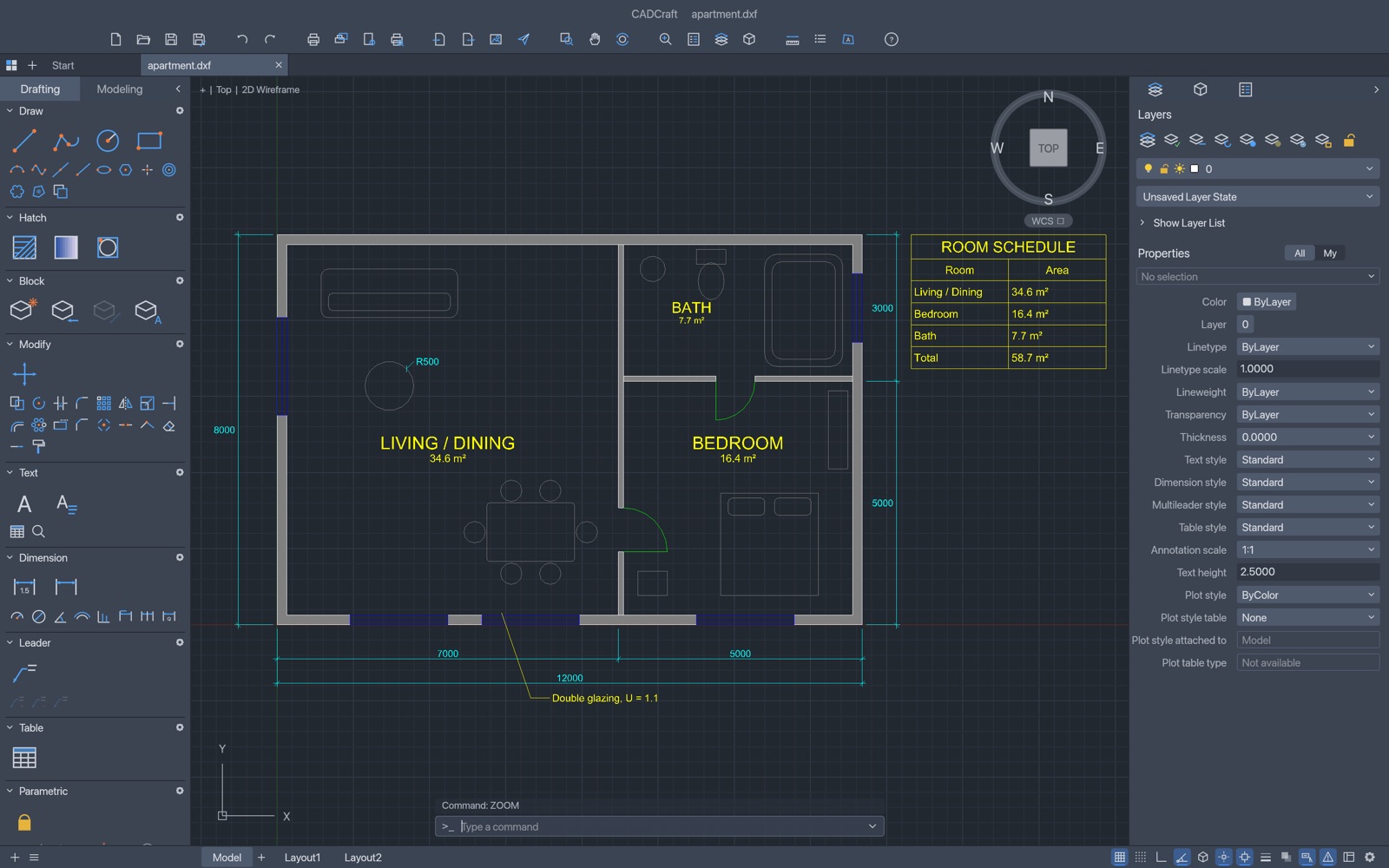
Everything you need to draft
A full 2D drafting editor, a private place for your files, and the tools to work with other people.
A real drafting editor
Lines, polylines, arcs, hatching, blocks, dimensions, text, tables, layers and layouts, with a command line for fast, exact input.
DXF and DWG
Open and save the drawing files you already have, and keep working in the format your colleagues and clients use.
An encrypted vault
Your drawings are encrypted in your browser before they are uploaded. Only your passphrase opens them, and we cannot read them.
Work together by layer
Invite people to draw on their own layer of one drawing. The owner puts everyone's work together in rounds.
Send to TAD
Select polylines in your drawing and send them to TAD with one button.
Free to start
Drawing and joining collaborations are free. Saving and opening vault drawings, starting a collaboration and its merge, upload and finish steps, and Send to TAD use SFA Points. See pricing.
From sign-up to drawing in minutes
No downloads and no plug-ins. DrawTAD runs in a modern web browser.
Create your account
Sign up with your email, Google or TeamTAD Discord, then choose a vault passphrase. It protects your drawings and is never sent to us.
Draw
Open the editor and use the tool palettes, or type commands such as line 0,0 @10,0 @0,5 c at the command line.
Save and share
Save to your encrypted vault, download a DXF or DWG, or start a collaboration and invite people to draw on their own layers.
Technical drawings, done properly
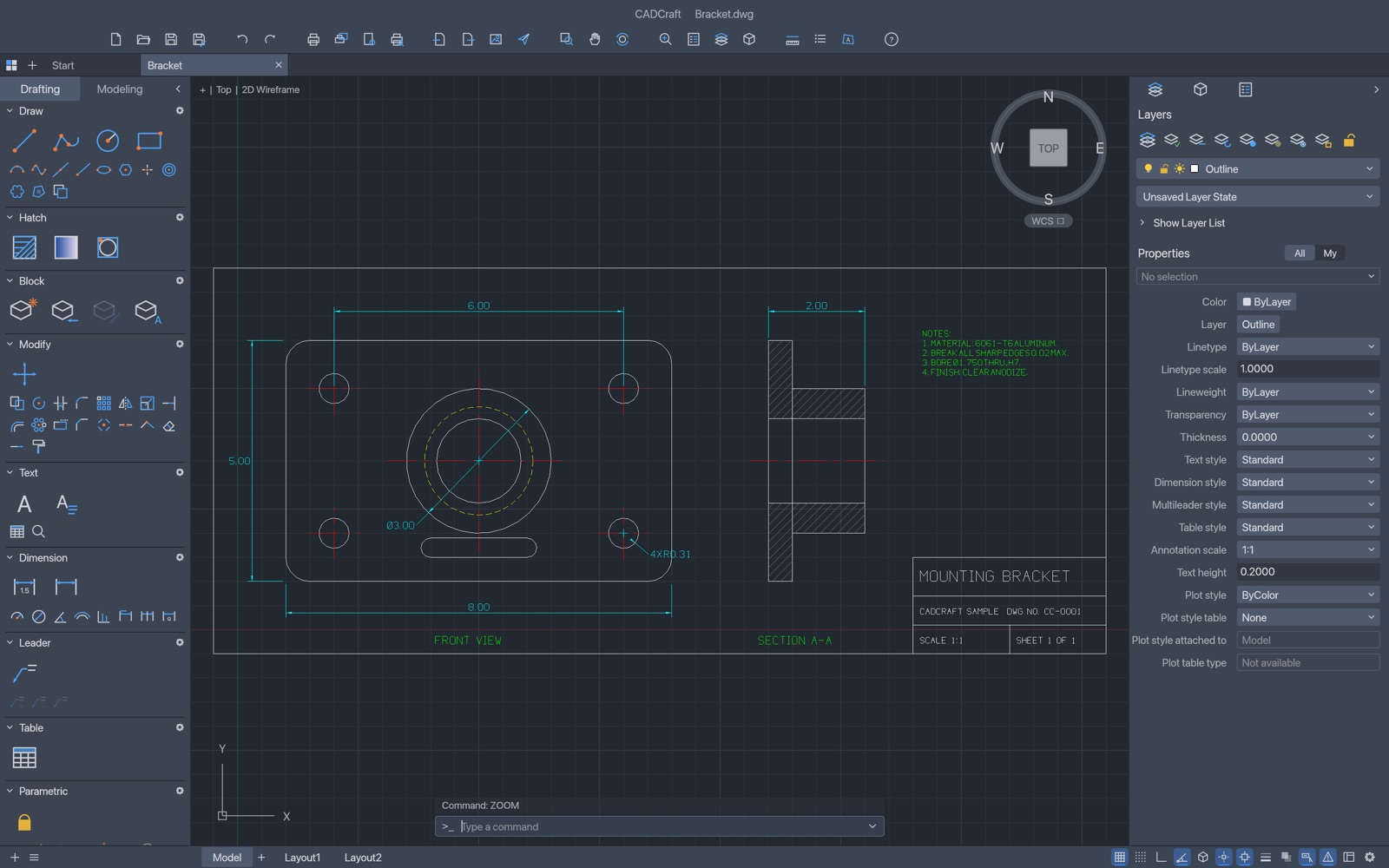
Part drawings with dimensions, hatched sections, notes and title blocks, in the same editor.
- Dimensions, leaders, text and tables
- Hatching and blocks
- Layers you can hide, lock and colour
- Layouts for sheets and scaled views
Questions
The short answers.
Do I need to install anything?
No. DrawTAD runs in your web browser on a computer, so use an up-to-date desktop browser. The first visit downloads the editor, which is large (tens of megabytes); later visits are faster because your browser keeps it.
Can DrawTAD read my drawings?
Not the ones in your vault. They are encrypted in your browser with a key that only your passphrase can unlock, so what reaches our server is unreadable. Keep your passphrase safe: we cannot recover it. Copies you download to your own computer are not encrypted.
How does collaboration work?
One person, the owner, starts a collaboration on a DXF drawing and invites people. Each person draws only on their own layer. When everyone has saved, the owner merges the layers and starts the next round.
What does it cost?
Drawing, joining a collaboration and saving your part are free. Saving and opening vault drawings, starting a collaboration, its merge, upload and finish steps, and Send to TAD use SFA Points. The pricing page shows the current prices.
Is DrawTAD affiliated with Autodesk?
No. DrawTAD is an independent product built on the open-source CADCraft editor. AutoCAD, DXF and DWG are trademarks or file formats of Autodesk, Inc.